Setting Up Your Own Website
This advanced module walks you through the complete process of setting up and building your own professional website, guided by Jason Marty. Beginning with the fundamentals of domain names and hosting, you’ll gain a clear understanding of how domains work, why they must be registered, and how to choose and configure the right setup for your needs, before moving into installing and launching WordPress on your own server.
From there, the module focuses on building, customising, and managing your website using WordPress. You’ll learn how to plan and structure your content, install and configure themes, create pages with a page builder, and refine your site through menus, widgets, shortcodes, plugins, and styling options. Alongside this, you’ll develop confidence navigating the WordPress admin area, applying security best practices, and maintaining a polished, functional website that supports your creative or professional goals.
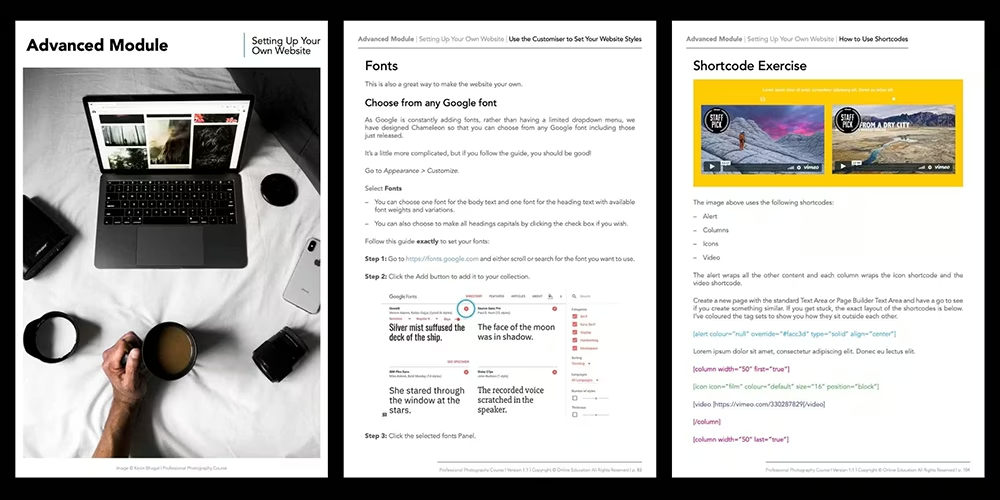
Build an attractive photography website that represents your style!
Design and launch a professional website that showcases your work with clarity and confidence. This module helps you understand the technical foundations behind domains, hosting, and WordPress, while guiding you through planning, building, and customising a site that is easy to manage, visually engaging, and aligned with your creative identity.

Module Topics
In this module, we will cover the following topics and beyond:
- About the Author: Jason Marty
- Introduction to Setting up your own Website
- Understanding Domain Names
- What is a Domain Name?
- Choosing the Right Domain Name for You
- Why Does a Domain Name have to be Registered?
- How Does a Domain Name Work?
- Understanding Hosting
- Registering your Domain Name & Buying Hosting
- 1: You Require a Domain Name & Hosting
- 2: You Have a Domain Name & Require Hosting
- 3: You Already Have a Domain Name & Hosting
- Domain Name Delegation
- Installing WordPress
- Download WordPress
- Uploading WordPress to Your Server
- Setting up the Database
- Completing the WordPress Installation
- Building your Website
- Planning your Website & Preparing your Content
- Installing the Theme
- Step 1: Download the Zipped Theme File
- Step 2. Login to Your WordPress Admin Area
- Basic WordPress Settings
- Give your Website a Title and Tagline
- Set the Permalink
- Comments
- The Theme Settings
- Theme Settings
- Theme Mobile Settings
- Blog Settings
- Project Settings
- Social Media Settings
- Assign a Page to be the Home Page
- Using the Page Builder
- Create a Home Page
- Ok so now you have a go
- Page Heading
- Text Area
- Slideshow
- Promo Boxes
- Feature Text
- Testimonial
- Parallax
- Feed
- Gallery
- Call to Action Panel
- The Standard WordPress Text Area
- VISUAL versus TEXT view
- The Wysiwyg toolbar
- Link Tool
- Full Screen Edit Mode
- Remove / Retain Formatting
- Custom Characters
- Insert an Image into a Text Area
- Insert a Gallery into a Text Area
- How to Add a Blog Post and Set Up Categories
- Using Widgets
- Add Footer Content using Widgets
- Add Blog Sidebar Content using Widgets
- Use the Customiser to Set your Website Styles
- Colours
- Fonts
- Organising your Menus with Custom Menus
- What can I add to the Menu?
- About Shortcodes & Chameleon Shortcode Types
- Shortcode Types
- How to use Shortcodes
- Projects
- Creating a Parent Page
- Adding a Plugin and a Contact Form
- Website Security
- WordPress Admin Reference
- The WordPress Admin Area
- Admin Toolbar
- Home
- Updates
- Pages & Posts inc Projects
- Media
- Appearance
- Plugins
- Users
- Tools
- Settings
Module Outcomes
By completing the Setting Up Your Own Website Advanced Module, you will:
- Understand how domain names and hosting work, and confidently choose, register, and configure them.
- Install and configure WordPress, including databases, themes, and essential site settings.
- Plan and build an attractive and structured website using page builders, pages, posts, galleries, and blogs.
- Customise your website’s appearance with menus, widgets, fonts, colours, and theme settings.
- Manage, secure, and maintain your website through the WordPress admin area, plugins, and best-practice workflows.
Ready to build a unique website that represents your brand with elegance?
The Setting Up Your Own Website Advanced Module is available exclusively to students enroled in our online Photography Course.
You’ll also receive a free six-month course extension and the support of a dedicated tutor who will guide you through the module and help you apply the lessons to your own website project and photography journey.
If you’re ready to create a website that represents your own photography brand and style, this module is the perfect next step. Join us and unlock the tools, clarity and confidence to customise your own website, allowing you to grow your photography business and elevate marketing abilities.
Discover the Advanced Modules
Explore our outline page to learn more about the other advanced modules.
View Course Outline


 Argentina
 Australia
 Austria
 Belgium (FR)
 Bolivia
 Brazil
 Canada (EN)
 Chile
Chile
 Colombia
 Costa Rica
 Ecuador
 France
 Germany
 Hong Kong
 India
India
 Indonesia
 Ireland
 Italy
Italy
 Japan
Japan
 Malaysia
 Mexico
 Netherlands
 Paraguay
 Peru
Peru
 Philippines
 Portugal
 Qatar
Qatar
 Singapore
 South Africa
 Spain
Spain
 Switzerland (DE)
 United Arab Emirates
 United Kingdom
 United States (ES)
 Uruguay


